Phone number privacy on WhatsApp remains one of the most vital security concerns for active messaging users today. Millions of people exchange texts, media files, and voice notes every single day without realizing exactly when their private cellular number becomes visible to strangers, acquaintances, or group members.
Unlike conventional social networks that rely primarily on custom handles or email logins, WhatsApp was built around your mobile device address book. This architecture means your phone number serves as your account identity, contact key, and delivery address. If you want to keep your contact details private, you need to understand how WhatsApp displays your number across individual chats, group threads, community channels, and search directories.
On WhatsApp, anyone you message directly or share a standard group chat with can view your complete phone number. You cannot hide your phone number from direct contacts on standard accounts. However, joining WhatsApp Communities keeps your number hidden from general members, and the new WhatsApp Username system finally allows you to message people without revealing your telephone number. Learn more about how the WhatsApp Username Privacy Key secures your identity.
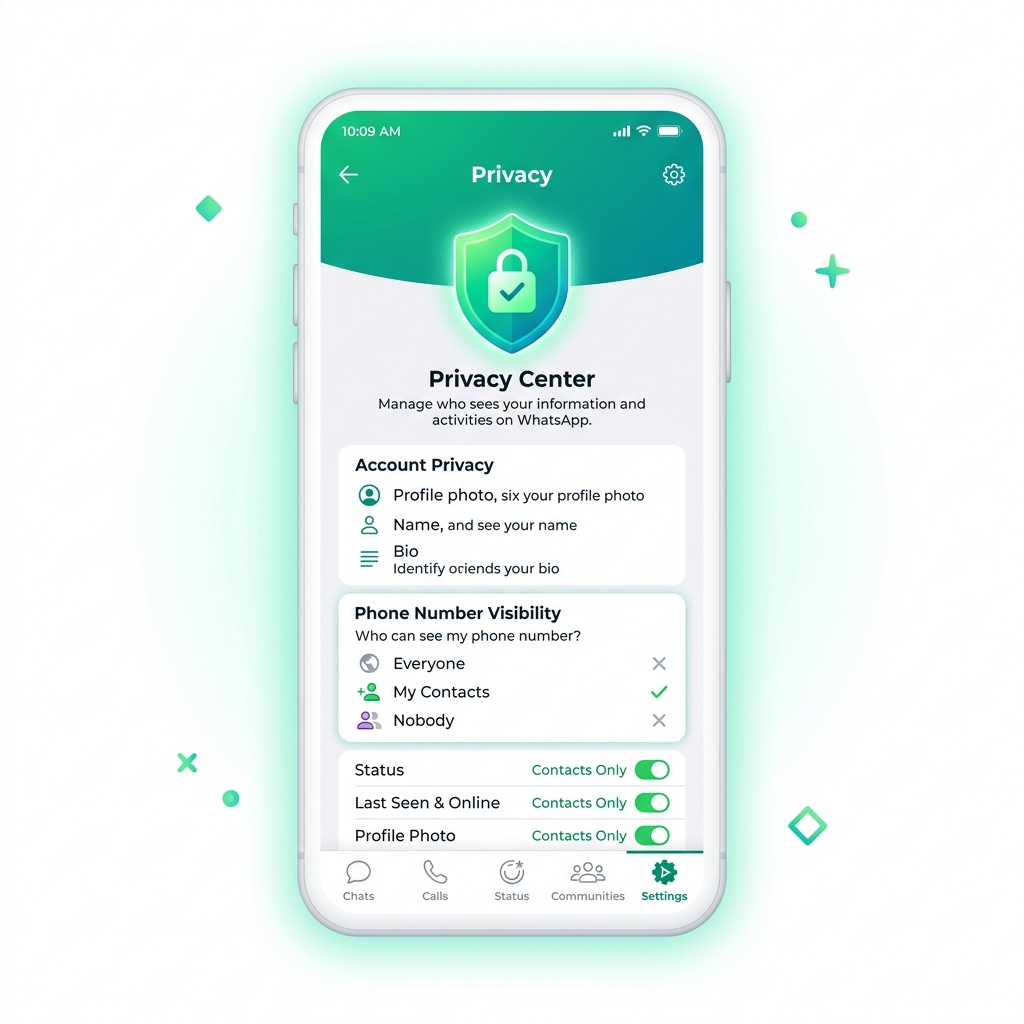 Understanding phone number visibility controls across personal chats, group threads, and privacy settings.
 Interactive breakdown showing where your phone number is exposed vs protected.
Who Can See Your Phone Number on WhatsApp?
To evaluate who can see your phone number on WhatsApp, you must examine how the app categorizes user relationships. WhatsApp splits interactions into saved contacts, unsaved individual recipients, group members, and search queries. In standard account setups, your phone number acts as your visible public identifier.
Unlike Instagram or Telegram where custom handles hide your contact details, WhatsApp displays your digits inside chat headers, profile cards, and contact information pages. If someone opens your chat window, they can tap your profile name at the top of the screen to reveal your phone number formatted with its full international country code.
Can Your WhatsApp Contacts See Your Phone Number?
Yes, anyone saved in your phone address book who also uses WhatsApp can see your phone number. Because they saved your number in their mobile contacts to start the conversation, WhatsApp displays the contact name they saved alongside your full phone number in their contact profile view.
Even if you adjust your profile privacy settings for Profile Photo, About text, or Last Seen status, these settings do not hide your phone number from your saved contacts. Your mobile number remains visible to everyone who stores your contact card on their device.
Can Someone See Your Number If They Are Not in Your Contacts?
Yes, someone who is not in your contacts can see your phone number if you communicate with them or share a common chat space. If a stranger obtains your phone number from a website, business card, or public directory and opens a chat with you, WhatsApp displays your number in their chat thread.
Conversely, if you initiate a chat with someone whose number is not saved in your address book, they will see your full phone number displayed at the top of their screen instead of a saved contact name. If you want to know whether you are required to adopt a handle, read our detailed analysis on whether you have to use a WhatsApp username.
Can Someone See Your Number When You Message Them?
Yes, whenever you send a direct message to any individual user on WhatsApp, your phone number is transmitted with the message header. The recipient receives your text, voice note, or media file tied directly to your mobile phone number.
There is no native setting on standard WhatsApp accounts that allows you to send an anonymous or masked direct message. Every outbound message reveals your digits to the recipient, making direct messaging unsuitable for situations where you want to keep your contact details private.
Can Someone Find Your WhatsApp Account Using Your Phone Number?
Yes, if someone saves your mobile phone number in their address book, WhatsApp automatically syncs their contact list and checks whether your number is registered on the platform. If an active account exists, your profile will appear in their WhatsApp contact list automatically.
Direct click-to-chat web links also allow anyone to initiate a chat with your account simply by typing your phone number into a browser. This automatic discovery mechanism is why many professionals choose to separate their work communication using custom handles.
Can People See Your Phone Number in WhatsApp Groups?
WhatsApp group chats present significant privacy risks for users who participate in public, semi-private, or workplace discussions. When you join a group chat, you enter a shared space where contact information is accessible to every participant.
Can Group Members See Your Phone Number?
Yes, every participant in a standard WhatsApp group chat can see your phone number. When someone opens the Group Info screen and scrolls down to the participant list, your full phone number appears next to your push name or saved contact handle.
This means if you join a large group with hundreds of strangers, every member in that group can copy your phone number, call you directly, or save your contact details without requesting your permission first.
Can WhatsApp Group Admins See Your Number?
Yes, group administrators have full visibility over all group members, including their full mobile numbers. Administrators can inspect profile details, manage roles, and view contact cards for every account inside the group thread.
Even in specialized group formats where member actions are restricted, administrators retain total access to participant contact details. There is no setting available that allows a member to hide their number from group admins.
What Happens to Your Number When You Join a Group?
The moment you accept a group invitation, your mobile phone number becomes indexed in that group's active member list. All existing participants receive an in-chat system message announcing that your number joined the conversation.
Even if you never send a single message in the group, your phone number remains listed in the group info section. Anyone in the group can tap your listing to start an individual direct chat with you.
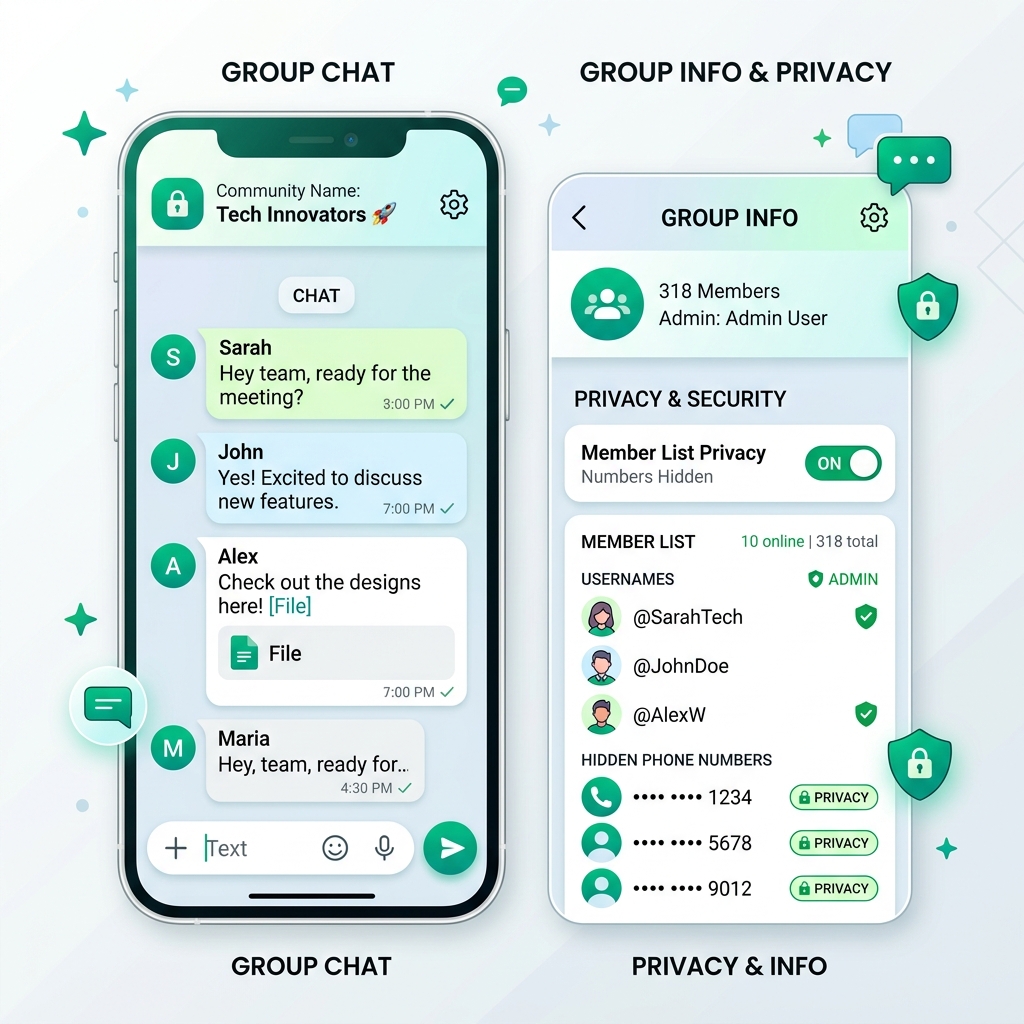 Visualizing the difference between open group phone exposure and protected WhatsApp Community sub-groups.
 Can People See Your Phone Number in WhatsApp Communities?
WhatsApp introduced Communities to help organizations, schools, and neighborhood groups manage multiple sub-groups under one umbrella. To address privacy concerns in large organizations, Meta built specific phone privacy safeguards directly into the Community feature structure.
Who Can See Your Number in a WhatsApp Community?
In a WhatsApp Community, phone number visibility depends on your role. Community administrators can see phone numbers for all community members across announcement channels and sub-groups.
However, regular community participants cannot see the full member list in the main Announcement group. This structural safeguard prevents mass phone scraping by strangers inside large umbrella organizations.
Is Your Phone Number Hidden From Other Community Members?
Yes, your phone number is hidden from general members in the main Community Announcement channel. When you join a community, other participants cannot scroll through an open list of member phone numbers.
However, if you join specific sub-groups within that community, your phone number becomes visible to participants in those specific sub-group threads. If you want step-by-step instructions on configuring privacy handles, check out our comprehensive WhatsApp username setup guide.
| Feature & Visibility | Standard Group Chat | WhatsApp Community |
|---|---|---|
| Visible to Admins | Full Phone Number | Full Phone Number |
| Visible to Other Members | Full Phone Number Visible | Hidden in Main Channel |
| Member List Browsing | Allowed for Everyone | Restricted to Admins |
| Direct Contact Initiation | One-Tap from Member List | Blocked in Announcement Group |
Can You Hide Your Phone Number on WhatsApp?
Many users check their account settings expecting to find a master toggle switch labeled "Hide Phone Number." Understanding how WhatsApp approaches account identification explains why phone privacy options work the way they do today.
Can You Completely Hide Your Number on WhatsApp?
On a standard legacy WhatsApp account, you cannot completely hide your phone number while sending regular direct messages. Because WhatsApp relies on telephone numbers as account addresses, your phone number must be shared with the person receiving your direct messages.
You can restrict your Profile Photo, About text, Status updates, and Online indicators, but your underlying phone number remains attached to your outgoing messages on traditional accounts.
Can You Hide Your Number From Specific People?
No, WhatsApp does not offer a selective phone number masking tool for individual contacts on standard accounts. You cannot choose to show your phone number to Contact A while hiding it from Contact B in direct message conversations.
If you communicate with someone on standard WhatsApp, they will see your phone number. The only way to stop someone from seeing your number is to block them completely or interact through username-enabled connections.
What Privacy Settings Affect Your Phone Number Visibility?
While you cannot hide your phone number directly on standard accounts, several privacy controls protect your account details from strangers who obtain your number:
- Profile Photo Privacy: Set to "My Contacts" so strangers who add your number cannot view your personal photos.
- About Info Privacy: Restrict your bio details to trusted contact lists only.
- Group Add Permissions: Control who has authority to add your phone number into unknown group chats.
- Silence Unknown Callers: Automatically mute incoming calls from phone numbers not saved in your address book.
Can a WhatsApp Username Hide Your Phone Number?
The introduction of WhatsApp Usernames represents the most significant privacy upgrade in WhatsApp history. By introducing unique handles, Meta addresses the long-standing privacy flaw that forced users to trade private phone numbers to chat.
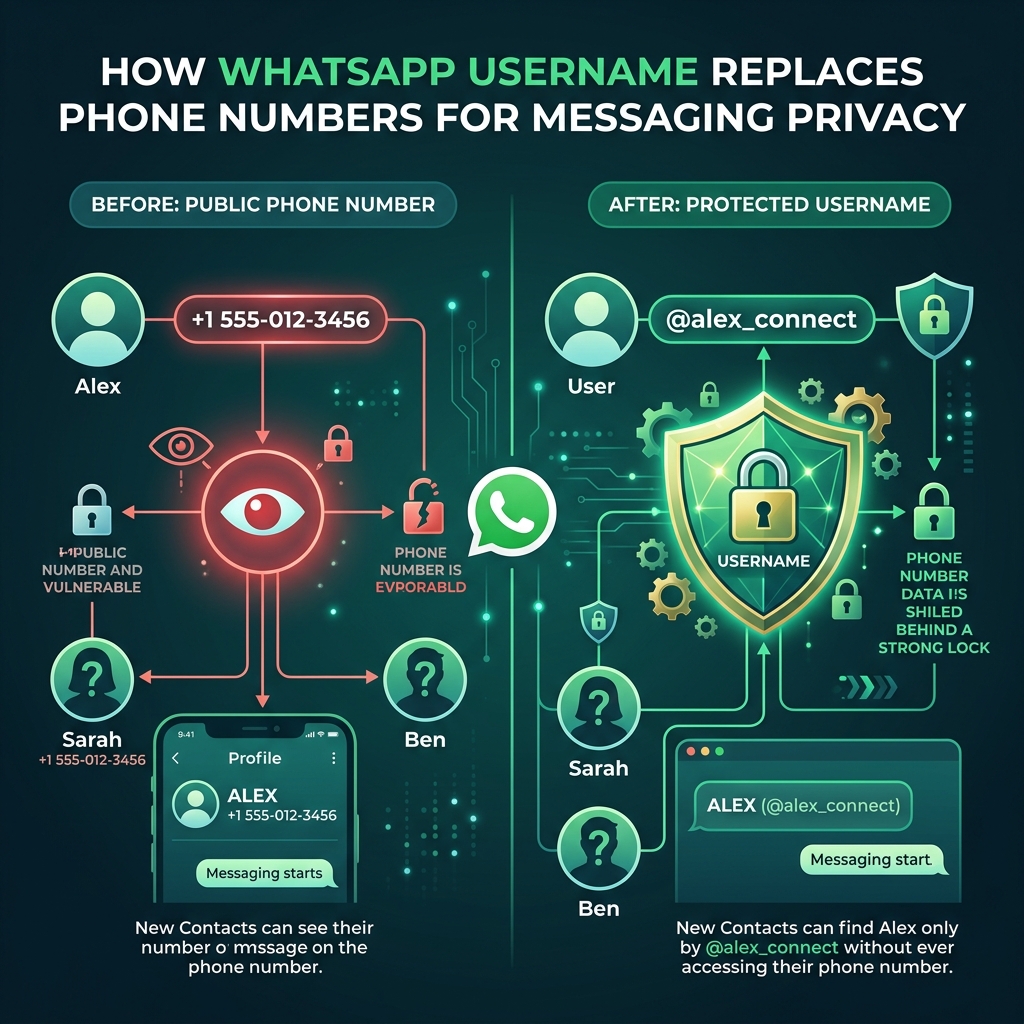 How unique WhatsApp usernames create a privacy buffer that hides your telephone number from new contacts.
 What Is a WhatsApp Username?
A WhatsApp Username is a unique identifier formatted with an "@" symbol (such as @alex_privacy) that connects to your account without revealing your phone number. It serves as a public contact handle that you can share on business cards, social media profiles, or public forums.
When someone connects with you via your username, WhatsApp routes messages through secure servers using encrypted tokens. If you manage a business, compare handles in our guide to WhatsApp Business username vs personal username.
Can You Contact Someone Without Sharing Your Phone Number?
Yes, when using WhatsApp Usernames, you can initiate chats and receive incoming messages without disclosing your mobile phone number. The recipient sees only your chosen username and profile display name inside the chat thread.
This allows freelancers, online buyers, dating app users, and privacy-conscious individuals to communicate freely without handing out private personal contact details.
Does a WhatsApp Username Keep Your Number Private?
Yes, a WhatsApp Username acts as a protective shield over your personal telephone number. People who discover you by searching for your handle cannot view your phone number in your profile card unless they already have your phone number saved in their device address book.
Is WhatsApp Username Available to Everyone?
The WhatsApp Username feature is rolling out progressively across global regions. Users in initial rollout zones can reserve custom handles immediately, while other regions receive access in phased stages.
Because usernames are strictly unique on a first-come, first-served basis, securing your preferred handle early protects your brand and personal identity before handles are claimed by others.
How to Protect Your Phone Number on WhatsApp
While waiting for username availability or managing your existing account, you should implement proactive steps to lock down your phone number privacy on WhatsApp today.
Review Your WhatsApp Privacy Settings
Open WhatsApp, navigate to Settings, select Privacy, and audit every item. Ensure your Profile Photo, About details, and Status updates are set to "My Contacts" or "My Contacts Except."
Restricting these options prevents strangers who obtain your mobile phone number from building a full personal profile based on your public WhatsApp metadata.
Be Careful Who You Share Your Number With
Avoid posting your personal mobile phone number on public websites, social media channels, forum signatures, or online marketplace listings. Scammers routinely scrape public phone numbers to target WhatsApp users with phishing texts and spam calls.
Limit Who Can Add You to WhatsApp Groups
Navigate to Settings > Privacy > Groups and change the default setting from "Everyone" to "My Contacts." This prevents unknown group admins from adding your phone number to public groups without your consent.
Block and Report Unwanted Contacts
If an unknown person messages your phone number unexpectedly, use WhatsApp's built-in Block and Report feature immediately. Blocking stops the recipient from seeing your profile updates, online status, or sending further messages to your number.
Can You Tell Who Has Your WhatsApp Number?
A common security concern is knowing whether someone has saved your phone number on their device without your knowledge.
Can You Tell If Someone Saved Your Number?
WhatsApp does not provide a direct notification when someone saves your phone number into their phone contacts. However, you can test this using the Broadcast List feature.
When you create a Broadcast List and send a message, only recipients who have your phone number saved in their address book will receive the broadcast message. If a message delivery receipt remains unfulfilled, that contact likely does not have your number saved.
Does WhatsApp Tell Someone When You Save Their Number?
No, WhatsApp never sends an alert or notification to a person when you add their mobile phone number into your smartphone address book.
Can You Check If a Phone Number Is on WhatsApp?
Yes, you can check whether a specific phone number is registered on WhatsApp by adding the number to your address book or entering it into a direct click-to-chat web link. If an account exists, their profile icon and chat option will appear.
Frequently Asked Questions About WhatsApp Phone Number Privacy
Can strangers see my phone number on WhatsApp?
Strangers can see your phone number if you send them a direct message or share a standard group chat with them. Strangers who do not share a chat or group with you cannot view your number unless they already possess it.
Can someone see my number if I don't save theirs?
Yes. Your phone number visibility depends on whether a chat thread or group connection exists, not on whether you saved their contact card on your own device.
Can people see my number in a WhatsApp group?
Yes, all members in a standard WhatsApp group can view your full phone number inside the group member participant list.
Can I hide my WhatsApp number from one person?
You cannot hide your phone number from one specific person in standard direct messages. The only way to stop them from seeing your number is to block their account.
Can someone find my WhatsApp account with my phone number?
Yes, if someone saves your phone number in their address book, WhatsApp will automatically show your account in their WhatsApp contacts list if you have an active account. To see how search lookups work with custom handles, read our guide on whether someone can find you by WhatsApp username.
Can I use WhatsApp without giving someone my phone number?
Yes, once you set up a WhatsApp Username, you can share your custom handle with others instead of giving out your private mobile phone number.
Final decision
Protecting your mobile phone number on WhatsApp requires understanding where your data is exposed and taking advantage of modern privacy controls. While standard individual chats and regular group threads reveal your phone number by default, features like WhatsApp Communities and WhatsApp Usernames offer powerful new ways to safeguard your personal contact information.
By updating your privacy settings, restricting group addition permissions, and reserving your custom WhatsApp Username today, you take full control over your digital identity and prevent unwanted phone exposure online.